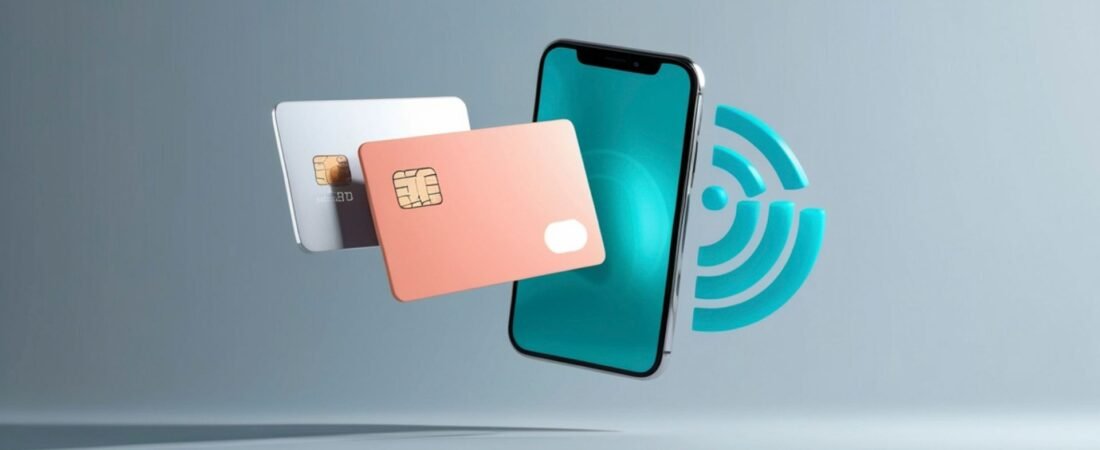
You can often use a virtual card at ATMs, but only when your bank, mobile wallet, and the machine all support cardless or contactless withdrawals. You’ll typically need to add the card to a compatible wallet, set a PIN, and find an ATM with NFC or “cardless” functionality. Limits, fees, and security protections can differ from physical cards. Understanding when and how these virtual withdrawals work helps you avoid errors and make better use of your card.
Can You Use a Virtual Card at ATMs?
At first glance, using a virtual card at an ATM might seem straightforward, but it depends heavily on the technology and policies of your bank and the specific machine.
You’re dealing with both virtual card limitations and the ATM’s hardware and software capabilities, so you can’t assume universal compatibility.
You generally need some form of digital or tokenized credential that the ATM can read, such as NFC-based contactless access or a scannable code.
If the machine or your bank doesn’t support those features, ATM accessibility with a virtual card will be restricted.
You must also consider regional regulations, network rules, and security protocols, which can further narrow where and how you can initiate cash withdrawals or balance inquiries.
Quick Answer: When Virtual Cards Work at ATMs
You can use a virtual card at an ATM only in specific, well-defined situations where both your bank and the machine support cardless or token-based withdrawals.
When that compatibility exists, you’ll experience Virtual card convenience without needing the physical plastic, yet still access cash. However, ATM accessibility for virtual cards remains limited and highly provider-dependent.
In practice, virtual cards typically work at ATMs when:
- Your bank offers cardless ATM withdrawals linked directly to your virtual card credentials.
- The ATM is on a network that recognizes digital tokens or mobile wallet representations of your card.
- You meet any additional security requirements, such as biometric verification or one-time passcodes, set by your bank or the ATM operator.
How Virtual Cards Work for ATM Withdrawals
Although the exact process varies by bank and ATM network, virtual cards enable cash withdrawals by replacing the physical card’s magnetic stripe or chip data with a secure digital token that the machine can recognize and authenticate.
When you initiate a transaction, the ATM reads this token, sends it to the card network, and your bank verifies it, then prompts you for your PIN.
Behind the scenes, advanced security features—such as dynamic cryptograms, limited-use credentials, and real-time authorization checks—reduce the risk of card cloning and skimming.
Because no physical card number is exposed at the terminal, your underlying account details remain better protected.
Reported user experiences often highlight faster transactions, fewer instances of fraud, and more confidence using unfamiliar ATMs.
A Practical Upgrade for Anyone Who Buys Things Online
Not every payments story has to be about exotic fintech features. Sometimes the upgrade is just: a card that works, a number that can’t be reused, and a balance you set yourself. That’s essentially what a cardn3 vcc for online transactions gives you, and it’s enough for 90% of what most people need. You don’t have to be running an agency or optimizing ad spend to benefit; regular shoppers get most of the value from day one.
Requirements: Wallets, Tokens, and Contactless ATMs
To use a virtual card at an ATM, you must first ensure your bank supports digital wallet compatibility on your device.
You’ll also need to understand how tokenization protects your card details when you tap to withdraw cash.
Finally, you must locate ATMs with contactless capability so you can complete transactions without a physical card.
Digital Wallet Compatibility
When accessing a virtual card at an ATM, digital wallet compatibility becomes essential because it determines whether the terminal can recognize and process your card’s tokenized credentials.
You rely on proper digital wallet integration so the ATM can communicate with your phone or wearable and map your token to the correct funding account.
You should verify that your wallet, card issuer, and ATM network all support contactless withdrawals and the specific virtual card features you intend to use, such as dynamic card numbers or limited-use credentials.
Look for contactless symbols on the ATM and confirm that your wallet provider lists ATM access as a supported function.
- Confirm supported wallets with your bank
- Check ATM network documentation
- Test a small withdrawal before regular use
Tokenization And Security
Because each ATM withdrawal exposes your payment credentials to external systems, tokenization and security controls play a central role in how virtual cards work with digital wallets and contactless terminals.
When you add a virtual card to a wallet, the issuer replaces your actual card number with a unique token, stored securely on your device or in the cloud.
At a contactless ATM, the wallet transmits this token, not your real card details.
The primary tokenization benefits include reduced exposure of sensitive data, limited usefulness of intercepted credentials, and easier revocation if something goes wrong.
Additional security enhancements—such as device authentication, biometric verification, and dynamic cryptograms—further restrict unauthorized use, so you retain control even if your phone or watch is lost.
Finding Contactless ATMs
Although virtual cards and tokenization work behind the scenes, you still need a compatible machine before you can make a contactless withdrawal. You must locate ATMs that support NFC-based contactless payment and work with your bank’s network and wallet provider.
Start by checking your bank’s ATM locator; many filters now highlight “contactless” or “cardless” machines. When you reach an ATM, look for the contactless symbol (four curved waves) near the card slot or screen.
You’ll typically need:
- A virtual card added to a supported mobile wallet
- An unlocked phone or wearable with NFC enabled
- A bank or network that authorizes ATM digital transactions
Follow the on-screen prompts, authenticate in your wallet, then tap your device to complete the withdrawal.
How to Get a PIN for Your Virtual Card
Successfully using a virtual card at an ATM starts with obtaining a valid PIN from your card issuer. You’ll typically request this through your bank’s mobile app, online banking portal, or customer service line.
Navigate to your card management section, then locate the option for PIN generation or PIN setup specific to your virtual card.
To protect virtual card security, confirm you’re using official channels and a secure internet connection. When you create or receive your PIN, avoid easily guessed numbers such as birthdays or repeating digits.
Don’t write the PIN on your phone or store it with card details. If your issuer sends a temporary PIN, change it immediately to a unique code and update it periodically to reduce unauthorized access risks.
Set Up Your Virtual Card for ATM Cash
Once you have a PIN, the next step is to confirm your virtual card is enabled for ATM cash withdrawals and linked to the correct funding account.
In your banking app or web portal, review the virtual card setup menu and verify that “ATM” or “cash access” is active. If it’s disabled, update the settings or contact support.
Check that daily and per-transaction limits for ATM cash withdrawal match your needs and don’t exceed your bank’s rules.
Confirm that alerts are turned on so you can monitor cash usage in real time.
- Verify the funding account (checking vs. savings).
- Confirm applicable ATM and foreign transaction fees.
- Ensure your card network (Visa, Mastercard, etc.) is supported by target ATMs.
Step-by-Step: Using a Virtual Card at an ATM
The process of using a virtual card at an ATM follows a clear sequence that protects your account while enabling quick access to cash.
First, open your banking app and locate the virtual card or digital wallet section. Confirm that ATM accessibility is enabled and review any withdrawal limits.
Next, approach an enabled ATM and select the digital card or contactless option. Activate your virtual card in the app, then tap your phone or scan the code as instructed.
When prompted, enter your PIN carefully and choose the withdrawal option.
Verify the amount, complete the transaction, and securely collect your cash and receipt.
Finally, lock your virtual card in the app if you won’t use it again soon, preserving key virtual card benefits.
Banks and Apps That Support Virtual Cards at ATMs
Although availability varies by region, a growing number of major banks and fintech apps now let you use virtual cards or digital wallets to withdraw cash at compatible ATMs.
You’ll typically find support at large national banks, digital-only banks, and leading mobile wallet providers that partner with major card networks.
To confirm support, you should:
- Check your bank’s FAQ for “cardless ATM,” “virtual card,” or “wallet” terminology
- Look for NFC, contactless, or QR symbols on the ATM screen or hardware
- Test a small withdrawal after enabling wallet access in your banking app
Virtual card advantages include reduced card-skimming risk and no need to carry plastic.
Virtual card disadvantages include inconsistent ATM support and dependence on a charged, connected smartphone.
ATM Limits, Fees, and Daily Caps With Virtual Cards
After you confirm that your bank supports virtual cards at ATMs, you still need to understand how limits, fees, and daily caps apply to your withdrawals. Your bank may apply different cash limits to virtual cards than to physical cards, so you should review your account’s ATM terms before relying on digital access.
You’ll typically face three constraints: a per‑transaction limit, a daily cash cap, and network or out‑of‑network fees. To optimize ATM withdrawal strategies, plan fewer, larger withdrawals when fee structures allow, and choose in‑network ATMs whenever possible.
Monitor foreign transaction fees if you withdraw cash abroad. Finally, consider virtual card security: enable app alerts, location controls, and temporary card locking so you can react quickly if an unauthorized ATM attempt occurs.
Common Errors When Using Virtual Cards at ATMs
Because virtual cards feel similar to physical debit cards, you might overlook several practical differences that commonly lead to ATM errors. Many common misconceptions arise when you assume every ATM or bank supports virtual card withdrawals in the same way.
You may also misread issuer terms, then interpret a declined transaction as a technical failure rather than a policy limitation.
Typical user experiences show that errors often stem from setup, not the ATM itself. You might:
- Skip linking the virtual card to a compatible wallet or app that the ATM can recognize.
- Enter an incorrect PIN because you reused one from a different card or account.
- Attempt withdrawals above issuer or ATM limits, triggering automatic declines.
Security Risks of Using Virtual Cards at ATMs
When you use a virtual card at an ATM, you still face security risks that you must understand and manage.
You’re exposed to potential skimming and cloning attempts, data exposure and theft, and weaknesses in the networks that transmit your transaction information.
Skimming And Cloning Risks
Although virtual cards remove the need to insert a physical card, skimming and cloning risks don’t disappear entirely at ATMs. Criminals can still exploit skimming techniques aimed at PIN keypads, QR codes, or contactless readers to capture your credentials.
They may then apply cloning methods to create usable duplicates of your card data in digital form.
You should rely on strict security measures and personal vigilance to reduce exposure. Focus on visible signs of tampering and suspicious add-on devices before initiating any transaction.
For effective fraud prevention, combine your bank’s tools with disciplined habits:
- Use ATMs in well-lit, monitored locations.
- Inspect readers, keypads, and surroundings before use.
- Enable instant transaction alerts and regularly review activity.
Data Exposure And Theft
Even without a physical card, using a virtual card at an ATM still exposes sensitive data that determined attackers can intercept or abuse. Your card number, one-time codes, and authentication details can be captured through compromised interfaces or deceptive prompts.
If criminals obtain this information, your digital identity, linked accounts, and stored credentials may be at risk.
Effective data security depends on how you manage credentials and verify ATM authenticity. You must guard PINs and access codes, scrutinize on-screen requests, and avoid sharing details in response to phishing attacks.
Strong identity protection practices support fraud prevention and help preserve financial privacy. By monitoring account activity and promptly reporting anomalies, you reduce the chance that exposed information leads to lasting harm.
Network Vulnerabilities And Hacking
Beyond the physical risks at the machine, virtual card transactions at ATMs also depend on complex networks that attackers can probe, intercept, or manipulate.
When you initiate a withdrawal, data travels through bank systems, processors, and communication channels that may contain system vulnerabilities. Weak network security or outdated software can expose your card details to online threats and targeted hacking.
You should assume that any unpatched ATM or insecure network path increases risk, even when banks advertise robust cybersecurity measures and fraud prevention tools.
Strong encryption techniques, continuous monitoring, and strict data protection policies help safeguard your digital privacy, but they’re not perfect.
Key points to evaluate include:
- Network security standards in use
- Frequency of cybersecurity measures and audits
- Incident history involving data protection breaches
Using Virtual Cards at ATMs With Neobanks
While traditional banks still rely heavily on plastic cards, many neobanks now let you access cash at ATMs using virtual cards or cardless withdrawal features. You typically authenticate through your neobank app, generate a one‑time code or token, then enter it at a compatible ATM to complete the transaction.
You’ll notice clear neobanks advantages: faster digital onboarding, immediate virtual card issuance, and the ability to manage withdrawal limits or freeze access directly from your phone.
However, you must also recognize virtual card limitations. Cardless withdrawals only work at participating ATMs, and some machines may restrict transaction amounts or charge higher fees.
In addition, connectivity issues, app outages, or identity checks can temporarily block access to your funds.
Alternatives When Your Virtual Card Won’t Work at ATMs
When your virtual card doesn’t work at an ATM, you still have practical options to access your funds.
You can use cash advance services through your card issuer or participating merchants, subject to fees and limits.
You can also transfer funds from your virtual card to a linked bank account and withdraw cash using a physical debit card.
Using Cash Advance Services
In situations where your virtual card can’t access cash at an ATM, cash advance services may offer a practical workaround. You can visit a bank branch, a card issuer’s partner location, or certain financial service providers that process card-not-present transactions and disburse cash directly.
These services complement your broader cash withdrawal strategies when physical ATM use isn’t possible.
You’ll typically present identification and your virtual card details, then authorize a cash advance for an agreed amount. Fees, interest rates, and daily limits usually apply, so you should compare them to other virtual currency options and funding methods.
Key factors to evaluate include:
- Total fees and interest cost
- Processing times and availability
- Security, fraud protection, and dispute procedures
Transferring Funds to Bank
Cash advance services aren’t your only option if an ATM rejects your virtual card; you can also move funds into a linked bank account and withdraw cash from there.
This approach relies on your provider’s fund transfer methods and its available bank integration options.
You’ll typically start by adding your bank account inside the virtual card app, then verifying it with micro‑deposits or instant confirmation.
After linking, you can initiate a transfer from your virtual card balance to your bank. Some services support instant transfers for a fee, while others use standard ACH, which can take one to three business days.
Ensure you review transfer limits, fees, and processing times.
You should also confirm that your bank account is eligible for ATM withdrawals and debit access.
How to Choose the Right Card for ATM and Virtual Use
Why does selecting the right card matter so much for both ATM withdrawals and virtual payments? You need a card that aligns with your user preferences while balancing cost, access, and safety.
Start by comparing card types and card features, such as usability options for contactless, mobile wallets, and online purchases. Review security measures, including tokenization, instant card locking, and real‑time alerts.
Evaluate the total cost of use. Examine transaction fees for ATM withdrawals, foreign use, and online purchases, along with daily withdrawal limits that match your cash needs.
Consider the provider’s technology integration, banking partnerships, and customer support quality:
- 24/7 dispute handling and responsive channels
- Wide ATM and merchant network access
- Reliable app performance and maintenance
Future Trends: Will Virtual Cards Replace Physical Cards at ATMs?
How quickly could virtual cards move from a convenient add‑on to the primary way you access cash at ATMs? You’re already seeing this digital evolution in tap‑to‑withdraw options, tokenized credentials, and app‑based authentication.
As banking innovation accelerates, ATMs increasingly support QR codes, NFC, and biometric verification instead of physical cards.
You shouldn’t expect a fully cashless future overnight, though. Many regions still rely on magnetic‑stripe or chip cards, and ATM networks upgrade slowly.
In the medium term, you’ll likely use virtual cards alongside plastic, especially for higher‑security withdrawals and travel.
Over time, payment technology and regulatory standards may make cardless ATM access the norm, but physical cards will probably remain as a backup rather than disappear completely.
Frequently Asked Questions
Can I Add Multiple Virtual Cards to the Same Mobile Wallet for ATM Use?
You can usually add multiple virtual cards to the same mobile wallet for ATM use, but it depends on wallet compatibility and your bank’s policies.
Most major wallets support multiple card management, letting you choose which card to use at an ATM that accepts contactless withdrawals.
However, some banks or regions restrict virtual card ATM functionality, so you should confirm supported features and any limits in your banking app or with customer support.
Do Virtual ATM Withdrawals Still Qualify for Debit Card Rewards or Cashback?
Yes, virtual ATM withdrawals usually don’t earn debit card rewards, so your cashback eligibility is minimal, while regular purchases typically qualify.
You’re using the same debit account, yet banks often exclude ATM transactions, virtual or physical, from reward calculations.
You should review your card’s terms, focusing on “qualified transactions.”
If unclear, contact your issuer and request written confirmation on how virtual ATM withdrawals affect rewards and cashback.
How Do Virtual Cards on Smartwatches Work at ATMS Compared to Phones?
You use smartwatch virtual cards at ATMs much like phone wallets, but smartwatch functionality can be more limited.
Both rely on NFC for contactless withdrawals, so ATM compatibility is identical if the terminal supports “cardless” or contactless transactions.
However, some banks restrict ATM access to phone wallets only.
You’ll typically authenticate on your watch (PIN, pattern, or biometrics proxy) and then tap it on the ATM’s contactless reader.
Can Parents Give Teens Virtual Cards for Limited ATM Cash Access?
Yes, you can give teens virtual cards with limited ATM cash access, depending on your bank and card issuer.
You’ll set parental controls through the banking app, defining daily or weekly withdrawal caps and overall spending limits.
You can also restrict merchant categories, disable contactless or online use, and receive real‑time alerts.
This structure lets you teach financial responsibility while maintaining oversight and minimizing misuse or excessive cash withdrawals.
What Happens to ATM Access if I Change Phones or Delete My Wallet App?
When you change phones or delete your wallet app, your ATM access doesn’t vanish into thin air, but it pauses.
Your virtual card stays active on the bank’s servers, yet you can’t use cardless ATM features until you complete the phone transfer and re-add the card to the wallet app.
You might need to re-verify your identity or device.
Physical debit card access, if available, remains unaffected.
Conclusion
You now understand when you can use a virtual card at ATMs, what technology it requires, and where its limits still stand. By weighing neobank options, contactless-enabled machines, and backup methods, you won’t feel a trillion miles from your money when you’re cardless. As virtual cards and ATM networks evolve, you’ll be better prepared to choose the right mix of physical and digital cards to keep your cash access secure, flexible, and convenient.